
Quick Summary
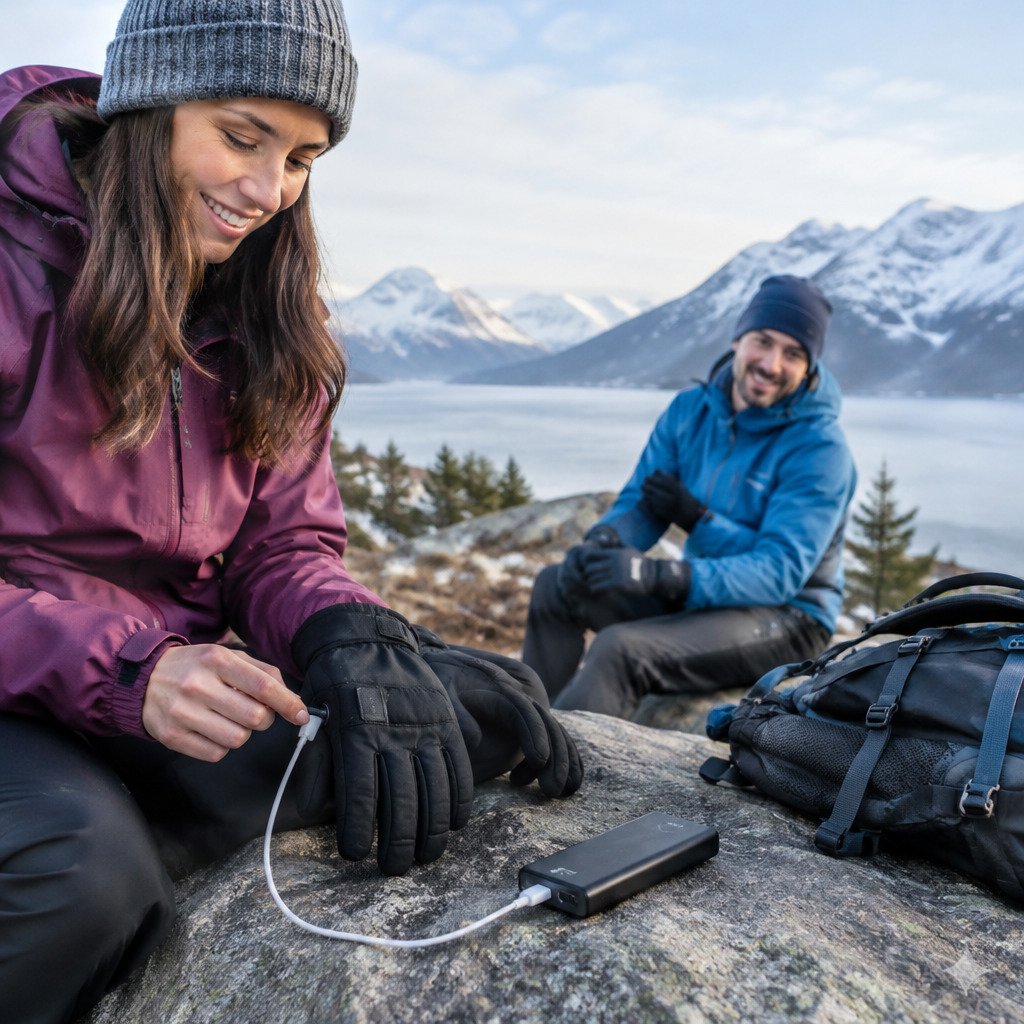
Switch the gloves off, connect the USB-C cable to the glove first, then plug the other end into a power source such as the supplied UK 3-pin USB mains adapter or a power bank. Confirm the charge indicator responds, and let the first charge run fully before use. USB-C charging is slower from a USB-A port than from a USB-C Power Delivery charger.
- Switch the gloves off before connecting, since heating splits the incoming power.
- Connect the USB-C cable to the glove first, pushing gently without force.
- Let the first charge complete fully so the battery can calibrate.
- Dry the gloves completely before charging, and never charge wet or damaged ones.
- Stop charging if the battery pack is swollen, cracked, hot or smells unusual.
Table of Contents
- Heated Gloves With USB-C Charging: What to Know Before You Plug In
- Step-by-Step: How to Charge Heated Gloves
- Heated Gloves Power Bank Compatibility: Keeping Warm on the Go
- Charging Safely and Handling the Battery
- Heated Gloves Not Charging? Troubleshooting Common Faults
- How to Wash Heated Gloves Without Damaging the Heating Elements
- Choosing the Right Setup for Your Heated Gloves
- Frequently Asked Questions
Heated Gloves With USB-C Charging: What to Know Before You Plug In
Last Updated: November 17, 2026
Heated gloves with USB-C charging are one of the simplest ways to keep your hands warm through a long, cold day, but only if you charge them correctly. This guide explains what to check before you plug in, how to charge safely, and what to do when something goes wrong.
USB-C is a common charging connector for portable electronics, so the cable you already own may work. The catch is that power output, cable quality and battery condition all affect how quickly your gloves charge and how safely they do it. Below, we walk through each one, step by step.
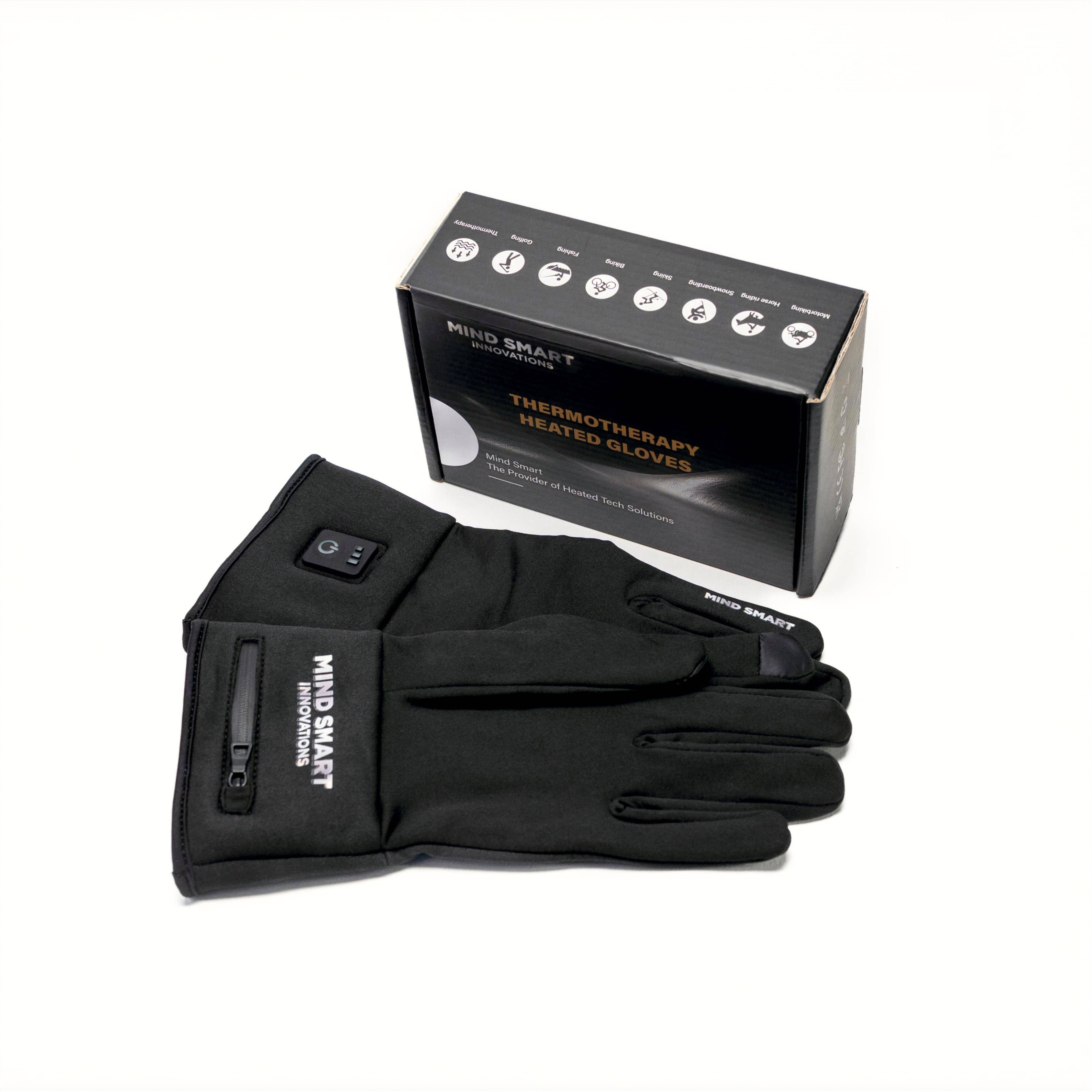
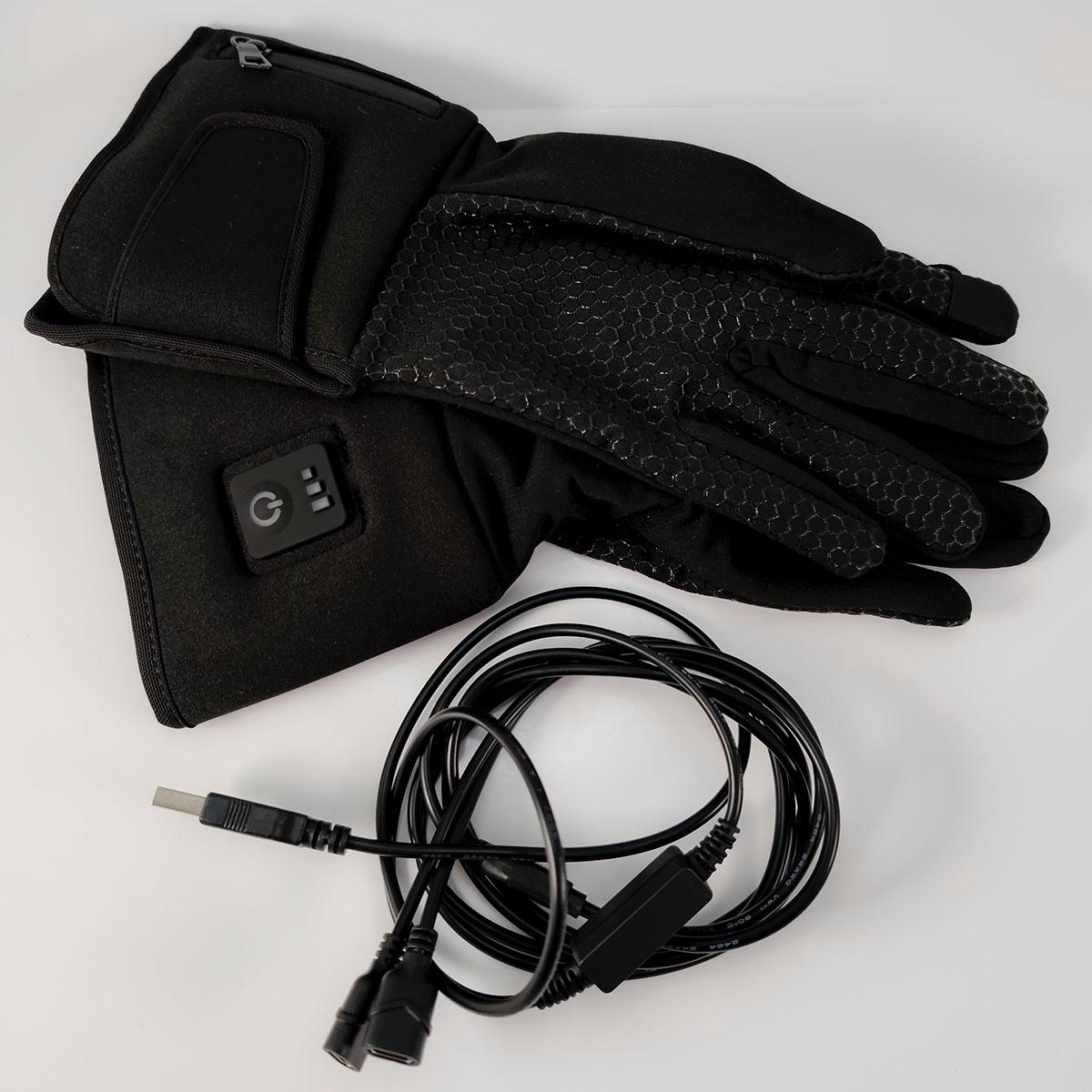
The Mind Smart Rechargeable Heated Gloves use a 7.4V 3000mAh lithium battery pack, and each glove set includes a UK 3-pin USB mains adapter. That gives you a dependable charging setup straight out of the box. Get the basics right and your gloves will be ready when you need them.
Step-by-Step: How to Charge Heated Gloves
Charging heated gloves is straightforward once you know the order to work in, but the small details are where most problems start. Work through these steps each time rather than plugging in and hoping.
- Switch the gloves off. Charging a glove that is still running splits the incoming power between the battery and the heating element, which slows the charge and can confuse the charge indicator.
- Find the charging port. Locate the USB-C port on the glove or battery pack, and open any cover flap carefully rather than bending it back.
- Inspect the port. Check the port for lint, grit or moisture before connecting.
- Connect the cable to the glove first. Push the USB-C connector in gently. It should not need force.
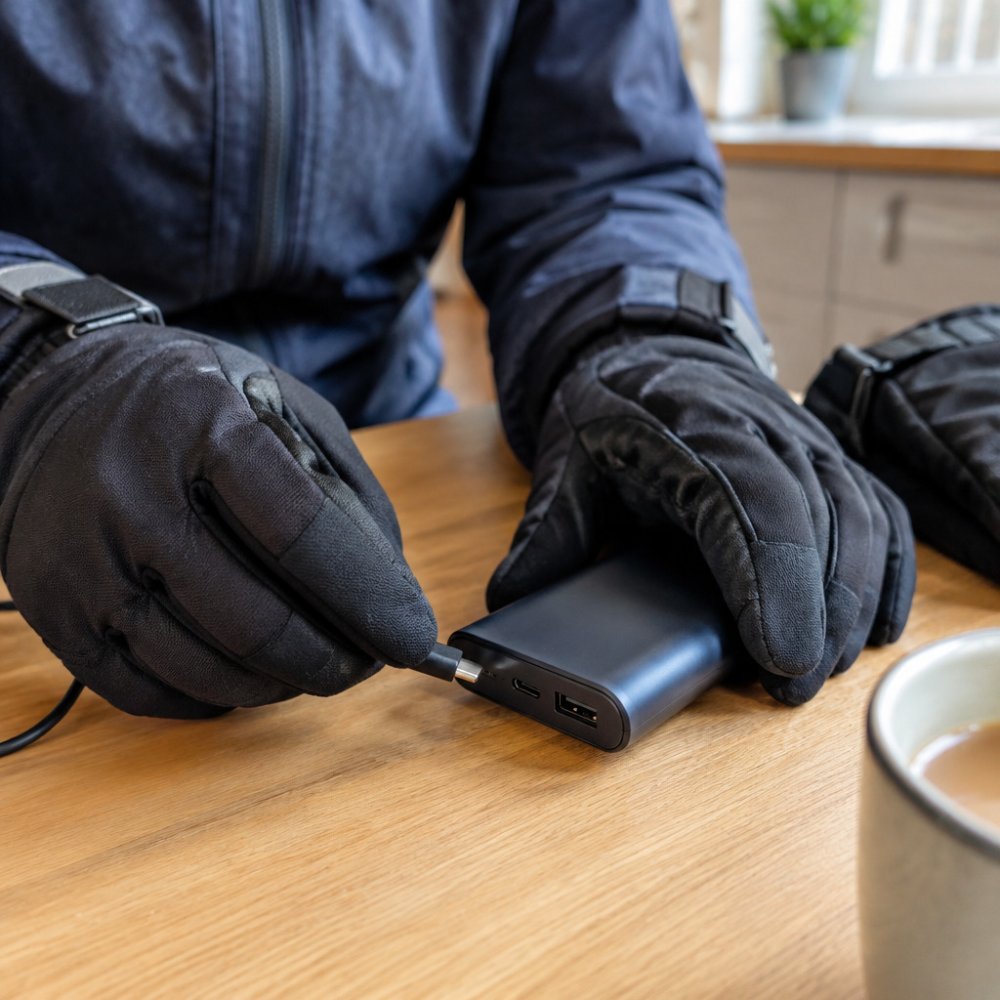
- Connect the other end to a power source. Use the UK 3-pin USB mains adapter supplied with the gloves where possible, or a power bank if you are away from a socket.
- Confirm charging has started. Check the charge indicator on the glove or battery pack. If nothing responds, unplug and reseat the cable before assuming a fault.
- Leave it to charge fully before the first use. A full first charge lets the battery management circuitry calibrate, which helps the runtime indicator stay accurate later.
- Unplug when complete. Pull the connector by the plug body, not by the cable.
USB-C cable and charger compatibility
Not every USB-C cable is equal. Some are wired for data only and may not charge a glove battery properly. Where possible, use the cable supplied with the gloves.
The connection type matters too. A USB-A-to-USB-C cable plugged into a standard USB-A wall charger will work, but it typically charges more slowly than a USB-C-to-USB-C connection into a USB-C Power Delivery charger. That is because USB-A ports usually cap output well below what a USB-C PD charger can supply. The glove will still charge; it will simply take longer.
Check the product manual for the stated input rating before buying a higher-output charger, as a more powerful adapter may not shorten charging time.
Charging time and battery-care guidance
Charging time depends on the charger used, and a low-output charger or a partly drained power bank will take longer. A charging extension cable can make repeated charging sessions easier to manage. Plan ahead before a cold morning rather than relying on a top-up.
To look after the battery, store the gloves in a cool, dry place and avoid leaving them flat for long periods.
The steps below summarise the charging process so you can check each one before plugging in.
| Step | What to do | Time or frequency |
|---|---|---|
| Switch gloves off | Stop heating before charging | Before every charge |
| Find USB-C port | Open cover flap carefully | Each charge |
| Inspect port | Check for lint, grit or moisture | Before connecting |
| Connect to glove first | Push connector in gently, no force | Each charge |
| Connect power source | Use supplied UK 3-pin adapter or power bank | Each charge |
| Confirm charging started | Check charge indicator; reseat cable if none | Immediately after connecting |
| Full first charge | Let battery calibrate | Before first use |
| Unplug | Pull by plug body, not cable | When complete |
Heated Gloves Power Bank Compatibility: Keeping Warm on the Go
A power bank is the most useful accessory if you spend long periods away from a plug socket. Walkers, cyclists, commuters and outdoor workers all find that a pocket-sized battery keeps their gloves going well beyond a single charge.
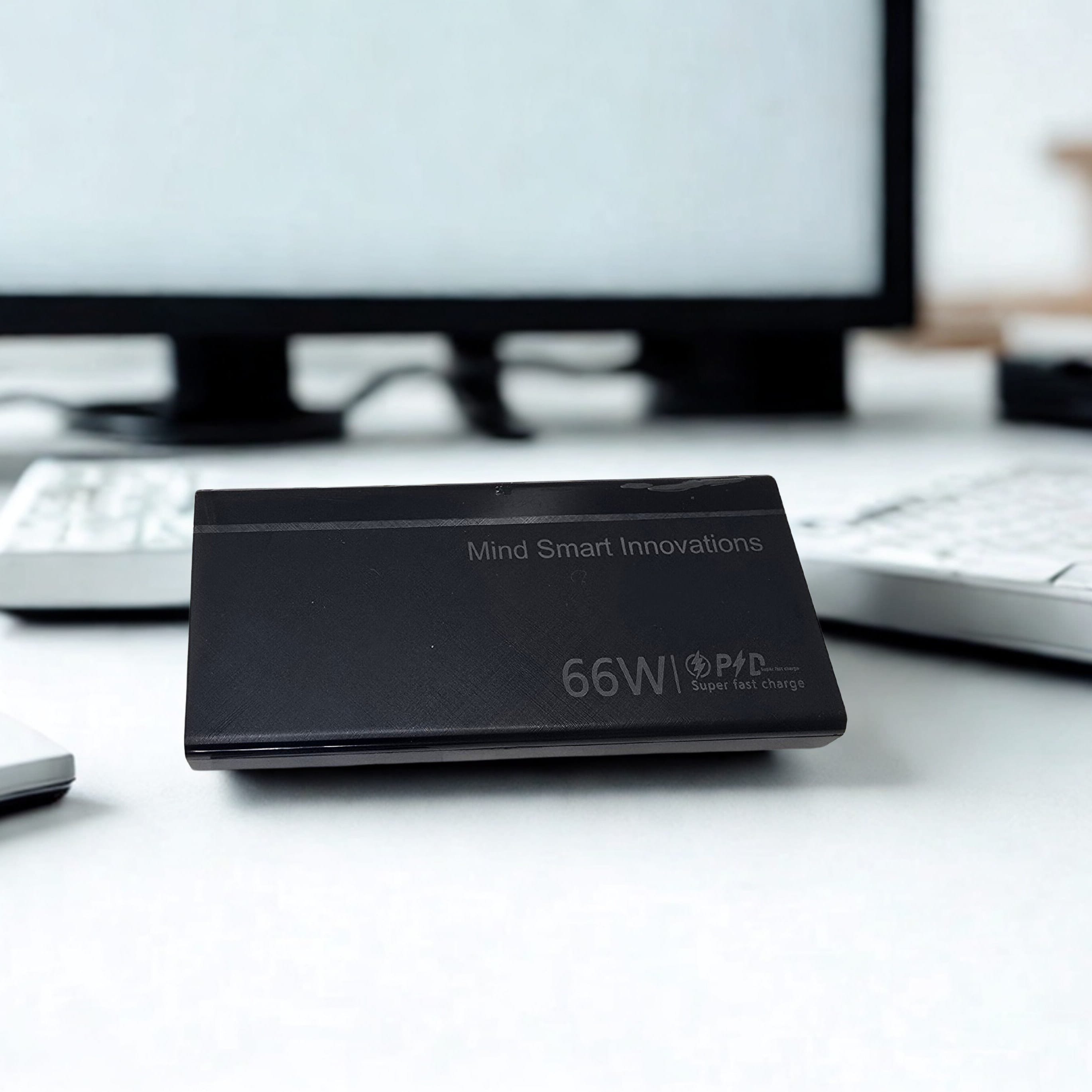
The Mind Smart Portable Power Bank provides 66W output and 10,000mAh capacity. Check the power bank's output rating against your glove charging requirements.
The Mind Smart Direct USB Power Extension Cable connects your gloves directly to a power bank, which can be useful when the glove batteries are low.
Charging Safely and Handling the Battery
Lithium batteries need sensible handling. Do not charge gloves that appear damaged, swollen, cracked or hot to the touch. Stop using them if you notice any of these signs.
Keep the charging area clear of flammable materials, and do not charge the gloves under a pillow or on a bed. Use only the supplied or a properly rated charger, and avoid charging overnight unattended.
Watch out: dry the gloves completely before charging them.
Heated Gloves Not Charging? Troubleshooting Common Faults
When a glove will not charge, work from the cheapest and most likely cause outwards rather than assuming the battery has failed. For a wider range of faults, see the full troubleshooting guide. Most charging faults trace back to a cable, an adapter or a dirty port.
Start with the cable. Try a known working USB-C cable.
Then the adapter. Try a different wall socket and a different adapter, and check that any power bank is charged.
Then the port. Inspect the charging port for lint, grit or moisture, and allow the glove to dry fully before trying again.
Then the indicator. If the glove shows no light, check the product manual and contact support if the problem continues.
Then the battery. If the glove charges but holds charge for only a short time, contact the seller or Mind Smart support for advice.
When to stop. Do not open the battery pack or attempt repairs yourself. If the pack is swollen, cracked, hot to the touch or smells unusual, stop charging immediately and contact the supplier for support.
Watch out: charging a glove that is still wet, or using a damaged cable, can damage the electronics or create a fire risk, dry the glove fully and replace any cable with a frayed or bent connector before charging.
How to Wash Heated Gloves Without Damaging the Heating Elements
Remove the battery pack before cleaning, and follow the care label on the gloves.
Choosing the Right Setup for Your Heated Gloves
The right setup depends on how you plan to use your gloves. For short daily trips, a mains adapter at home is usually enough. For long days outdoors, pair the gloves with a 10,000mAh power bank and the direct power cable.
The Mind Smart Rechargeable Heated Gloves are priced at £84.99, the Portable Power Bank at £32.99, the Direct USB Power Extension Cable at £24.99 and the Battery Charging Extension Cable at £20.99. Choose the combination that matches your routine, and you will stay warm without the guesswork.
Get your hands warm on the coldest days with Mind Smart's rechargeable heated gloves, which deliver three heat settings, a touchscreen-friendly design and reliable USB charging.
Frequently Asked Questions
Can you charge heated gloves with a USB-C cable?
Yes, many USB-C heated gloves can be charged with a standard USB-C cable connected to a suitable UK mains adapter or a power bank with a USB-C output. Check the product listing before you buy a cable, because the charging port and power rating vary between models. Use the cable and adapter supplied with your gloves where possible. Avoid fast chargers that the glove packaging does not mention, as the battery management may not be designed for them. Mind Smart heated gloves include a UK 3-pin USB mains charging adapter in the box.
Can you use a portable power bank to charge heated gloves?
A portable power bank can power heated gloves while you are outdoors, provided its output matches what the gloves are designed to accept. The Mind Smart Portable Power Bank 66W (10,000mAh, £32.99) is one option for longer days out. For continuous heat without recharging the gloves' own batteries, the Mind Smart Direct USB Power Extension Cable (£24.99) connects the gloves straight to a power bank.
Why are my heated gloves not charging?
Start by checking the cable, the adapter and the wall socket, because these are the most common causes. Try a different USB port or adapter, make sure the connectors are fully seated, and look for dirt or moisture in the charging port. Confirm the battery indicator responds when you plug in. If the gloves still do not charge after these checks, the battery may be deeply discharged or faulty, and you should contact the seller or Mind Smart support rather than repeatedly forcing the connection.
How should you wash heated gloves?
Remove the battery pack before washing, and follow the care label on the gloves. Keep the charging port completely dry before reconnecting any cable.



Leave a comment
This site is protected by hCaptcha and the hCaptcha Privacy Policy and Terms of Service apply.