
Table of Contents
- Why Heated Gloves Can Cost You Dexterity (And How to Fix It)
- How Should Heated Gloves Fit to Preserve Finger Movement?
- Layering Strategies That Retain Finger Mobility
- Step-by-Step: Preserving Grip and Tactile Sensitivity
- Managing Heat Settings Without Sacrificing Control
- Heated Gloves Battery Life: What It Means for Finger Mobility
- Heated Gloves Safety: Avoiding Overheating and Cold Spots
- Heated Gloves Versus Heated Mittens: Which Keeps You More Capable?
- Frequently Asked Questions
Last Updated: October 17, 2026
Why Heated Gloves Can Cost You Dexterity (And How to Fix It)
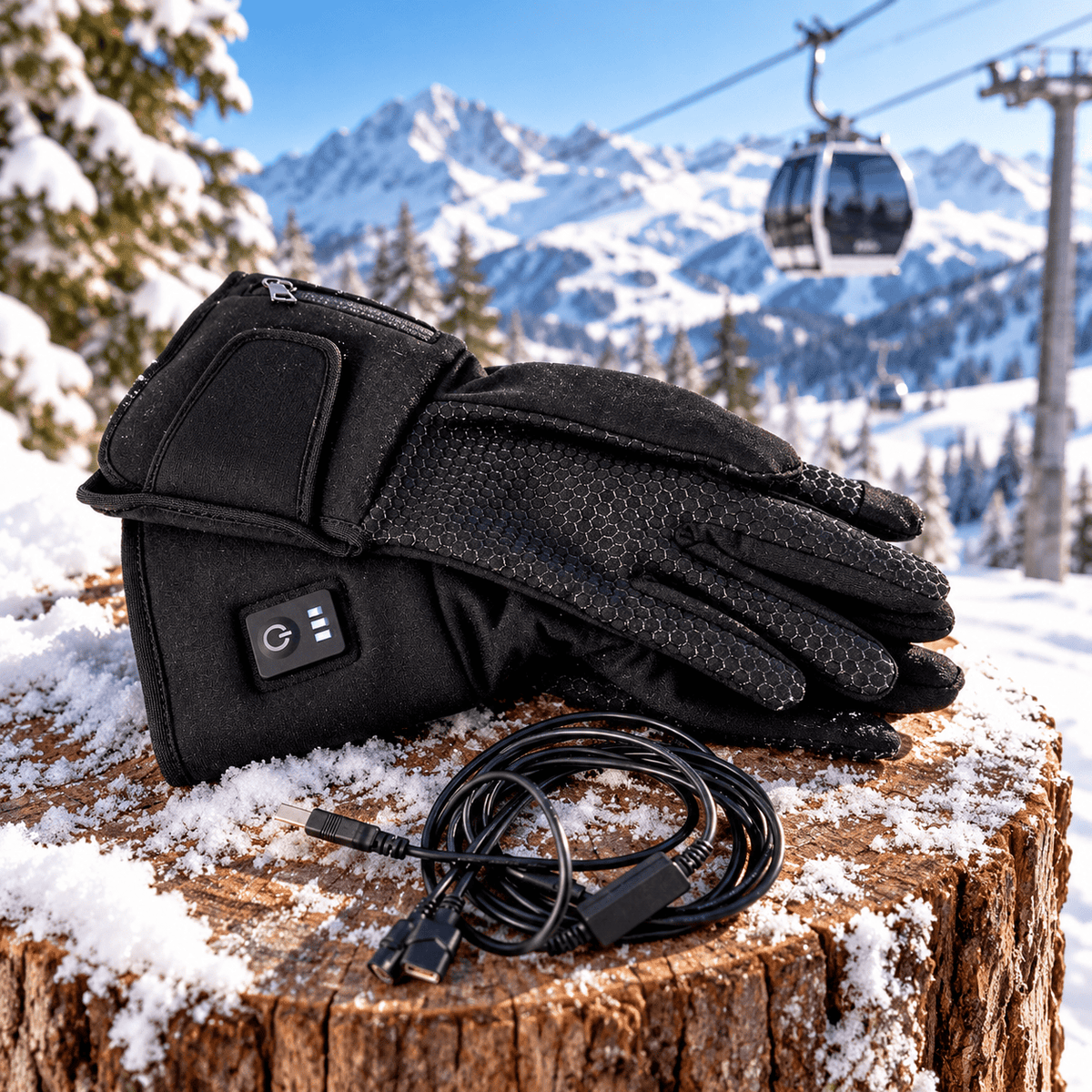
Heated gloves keep your hands warm, but many pairs quietly steal the very thing you need most: finger control. At Mind Smart, we offer advanced thermotherapy rechargeable heated gloves designed to provide superior warmth and dexterity in the most challenging cold and damp outdoor conditions.
The problem is rarely the heat itself. It is the design around it.
- Thick insulation pushes your fingers apart and dulls touch
- Loose cuffs let warm air escape and cold air creep in
- Sweat builds up inside, chilling your fingers once you stop moving
- Bulky heating elements sit in the wrong places, leaving cold spots
The fix is a warmth-to-dexterity balance: slim heating elements, a close fit, and layers that move with your fingers. Get that balance right and you keep both warmth and grip.
How Should Heated Gloves Fit to Preserve Finger Movement?
Heated gloves should fit snug at the palm and loose enough at the fingertips to flex freely.
Fit is the single biggest factor in finger mobility. A glove that is too big slides around and you grip harder to compensate. One that is too tight squeezes blood flow, and cold fingers lose feeling fast.
Look for a stretch-fit design measured by palm width. That keeps the glove locked to your hand without pinching.
Sizing Checks You Can Do Before You Buy
You can test fit without wearing the gloves for hours. Try these quick checks:
- Palm check: The fabric should sit flat against your palm with no bunching
- Finger test: Wiggle each finger; you want free movement with no tightness at the tips
- Pinch test: Pinch a little fabric at the fingertip; a few millimetres is right, a fistful is too much
- Grip test: Make a fist, then open your hand fully. The glove should follow, not lag
- Cuff test: The cuff should sit close to your wrist so warm air stays in
If a glove fails two or more of these, size up or down before you commit.
Layering Strategies That Retain Finger Mobility
Layering is where most people wreck their dexterity. Add too much and your fingers turn into sausages.
The rule is thin base, smart outer. A thin liner glove adds a little warmth and manages moisture.
- Choose a thin, close-fitting liner, not a thick wool one
- Avoid stacking two bulky layers; each one costs you feel
- Keep the heated glove as the outer layer so heat reaches your skin
- Make sure the liner does not bunch at the fingertips
Mind Smart Gloves Act As Heated Breathable Thin Glove Liners or Stand Alone Gloves. That flexibility lets you adapt to the day without adding bulk.
Step-by-Step: Preserving Grip and Tactile Sensitivity
You can protect grip and touch with a repeatable routine. The steps below go beyond a checklist: each one explains what it is doing to your hand and how to tell whether it is working.
- Start with dry hands. Moisture inside the glove kills warmth and feel. Dry your hands fully, and if you tend to sweat, use a thin moisture-wicking liner rather than a cotton one that holds damp against the skin.
- Fit the glove properly. Push your fingers fully into the tips and smooth out any bunching at the palm and knuckles. Bunching under the palm is what makes you grip harder and lose fine control.
- Fasten the cuff. A close cuff keeps heat in and cold out, and it stops the glove rotating around your hand when you twist a tool or grip a pole.
- Warm up before you need full grip. Flex your fingers and open and close your fist a few times to get blood moving. Cold fingers are stiff fingers, and no heating element overcomes poor circulation at the fingertips.
- Adjust heat early. Turn it up before your hands get cold, not after. Once fingers are chilled, the heat has to work against a cold hand rather than maintain a warm one.
- Check your grip on a test object. Pick up a small tool or your keys and confirm control before you commit to a task. This is your objective check that the glove is not fighting you.
- Keep spare batteries or a charger handy for long days out, and finish fine tasks earlier in the charge cycle when warmth and flexibility are at their best.
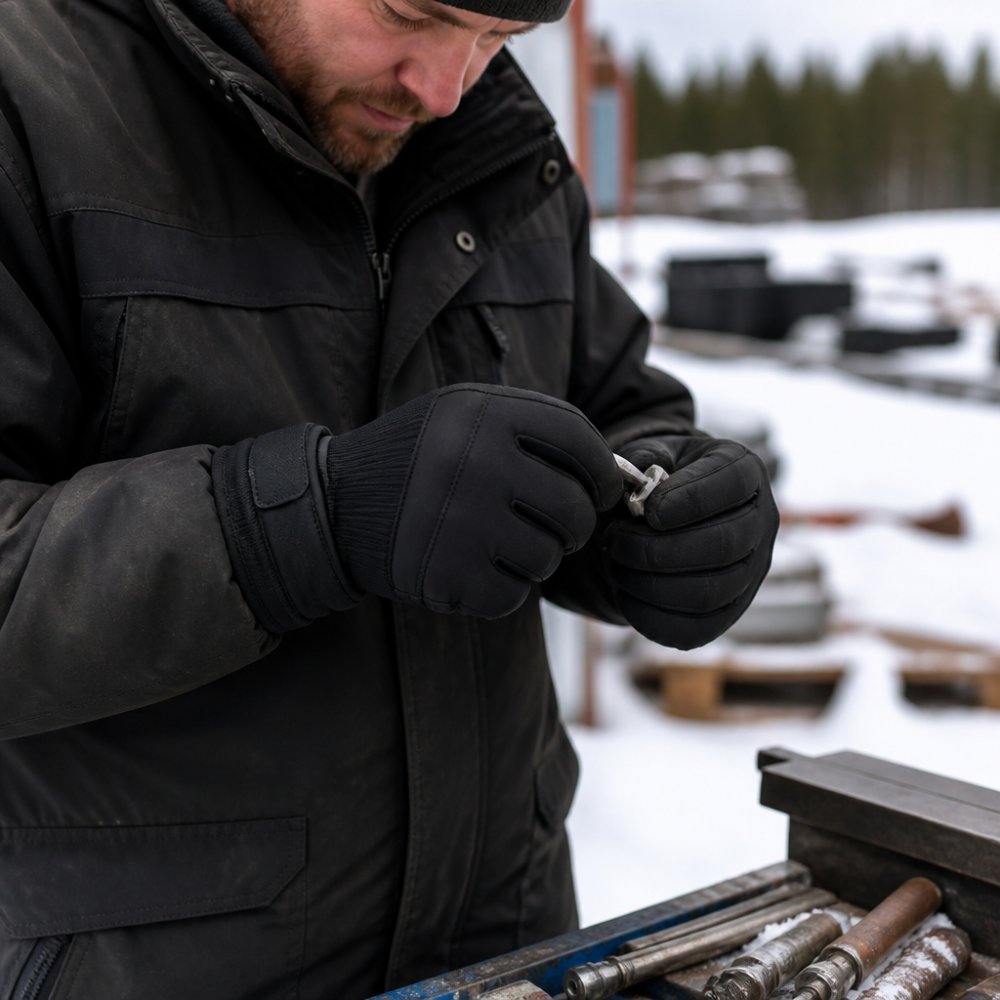
Objective Dexterity and Fit Checks
Before you trust a pair for a full day, run three simple tests that show whether the glove is costing you control:
- Grip test: Make a fist, then open your hand fully. The glove should follow your hand, not lag behind it. If the fabric stays creased when your fingers straighten, it is too stiff or too big.
- Fingertip pinch test: Pinch a few millimetres of fabric at each fingertip. A small amount of room lets fingers flex; a fistful means the tips will fold and you will lose feel.
- Coin or key pick-up: Try to pick up a coin or a key from a flat surface. If you have to look and concentrate, the glove is too bulky for fine work.
- Palm-width check: Measure across your knuckles with a tape and match it to the maker's size chart. Palm width predicts fit far better than your usual glove size.
If a glove fails two or more of these, size up or down, or choose a slimmer model, before you commit.
Troubleshooting Dexterity Problems
When control drops, work through the likely causes in order:
- Poor fit: A glove that slides or pinches is the most common cause. Re-check palm width and fingertip room.
- Stiff materials: Thick leather or heavily reinforced palms resist bending. Look for stretch panels across the knuckles and fingers.
- Bulky insulation: Too much loft pushes fingers apart. A slimmer insulation with a close fit usually beats a thicker glove for control.
- Cold spots: If one finger goes numb, the heating element may not reach the fingertips. Check that elements cover the full hand and tips.
- Battery or element placement: A battery pack on the back of the wrist can feel heavy and pull the glove out of position. A well-placed pack sits close to the wrist without shifting.
Managing Heat Settings Without Sacrificing Control
Heat settings should help your hands, not overwhelm them. The goal is steady warmth, not maximum heat.
Mind Smart Rechargeable Heated Gloves →
Overheating makes your hands sweat. Once you cool down, that sweat chills your fingers and you lose feeling. Adjustable heat settings with a push-button thermostat let you dial in just enough warmth.
- Start on a low or middle setting and add heat only if needed
- Drop the setting when you move indoors or pick up the pace
- Use temperature control to avoid the sweat-then-chill cycle
- Keep the heat even across the whole hand to prevent cold spots
Heated Gloves Battery Life: What It Means for Finger Mobility
Battery life decides how long you keep full warmth and control. A glove that dies mid-task leaves your fingers cold and clumsy, often when you need them most.
Runtime depends on the heat setting. Mind Smart Rechargeable Heated Gloves offer up to 12 hours of heating on low settings, giving you room to work, while short runtimes force you to ration heat.
- Carry a spare battery or power bank for long shifts
- Charge fully before a big day outdoors
- Expect colder hands near the end of a charge, so finish fine tasks earlier
- Store batteries safely and keep connections clean
For commuters and workers, Mind Smart Rechargeable Heated Gloves offer reliable runtime, meaning steady warmth and steady grip from morning to evening.
Heated Gloves Safety: Avoiding Overheating and Cold Spots
Heated gloves safety comes down to controlled heat and even coverage. Heat that builds in one spot can irritate skin, while gaps leave fingers cold and stiff.
Look for heating elements that cover the full hand and fingertips. Even heat distribution keeps every finger warm, which protects both comfort and feel.
- Never wear heated gloves against broken or irritated skin
- Follow the maker's guidance on heat settings and wear time
- Check for hot spots by feeling the glove warm up evenly before a long outing
- Keep the fabric dry and undamaged so heat stays controlled
- Store and charge as instructed to protect the elements and battery
If you have a circulation condition such as Raynaud's, Mind Smart Rechargeable Heated Gloves offer thermostat-controlled heat with three adjustable settings, allowing you to take extra care with heat levels and check your hands regularly.
Heated Gloves Versus Heated Mittens: Which Keeps You More Capable?
Heated gloves win on dexterity; heated mittens win on raw warmth. Mittens keep fingers together, which traps heat well but leaves you unable to grip or feel fine detail.
For anyone who needs to use their hands, heated gloves are the better choice.
| Feature | Heated Gloves | Heated Mittens |
|---|---|---|
| Finger mobility | High, fingers move freely | Low, fingers stay together |
| Warmth retention | Good with a close fit | Higher, shared heat |
| Grip and control | Strong | Limited |
| Touchscreen use | Possible with compatible tips | Rarely practical |
| Best for | Work, cycling, daily tasks | Resting, extreme cold |
If warmth matters more than control, mittens suit you. If you need to stay capable, gloves are the clear pick.
Frequently Asked Questions
Why does wearing gloves make my hands colder?
Gloves that fit too tightly restrict blood flow, which reduces circulation and leaves fingers feeling colder even with insulation. Sweat trapped inside also cools your hands once you stop moving. Choose a snug but not compressive fit, and pick gloves with breathable, waterproof fabric so moisture escapes. Heated gloves solve part of this by adding active warmth, but fit and breathability still decide whether that warmth reaches your fingertips or gets trapped as clamminess.
How should heated gloves fit to preserve finger movement?
Heated gloves should fit close to the hand with no bunching at the palm and roughly 5-10mm of space at the fingertip, so you can make a fist without the fabric pulling. Check that you can pinch your thumb and index finger together and feel the pressure through the glove. Measure your palm width before ordering, because a stretch-fit design sized from palm width keeps heating elements against the skin without restricting finger mobility.
Should I use heated gloves on a low or high setting?
Start low and raise the setting only when your fingertips feel cold. High settings warm the hand quickly but can cause sweating, and once sweat builds up inside the glove, your hands cool down again and grip becomes slippery. On milder winter days, the lowest of the three settings is usually enough for commuting or walking. Save the highest setting for static tasks or temperatures well below freezing, and drop back down once your hands are warm.
Are heated gloves suitable for everyday use?
Yes, provided you follow basic heated gloves safety: use the thermostat control rather than leaving them on maximum, check the battery and wiring for damage before each use, and never wear them damp. Slim, low-profile heated gloves suit daily commuting, dog walks and outdoor work because they preserve dexterity for phone use and handling tools. Follow the care instructions, such as washing at 30°C with USB caps secured, to keep the heating elements working season after season.
Cold hands should not mean clumsy hands. If you are tired of bulky gloves that leave you fumbling, Mind Smart can help. Our Rechargeable Heated Gloves use slim, watertight heating elements and a stretch-fit design for maximum dexterity, with three heat settings, touchscreen-compatible fingertips and up to 12 hours of warmth for £89.99. Get started with Mind Smart and keep full control of your hands all winter.

Leave a comment
This site is protected by hCaptcha and the hCaptcha Privacy Policy and Terms of Service apply.