
Table of Contents
- What Makes Touchscreen Compatible Gloves Work in Extreme Cold
- Best Heated Gloves for Extreme Cold Weather: What to Look For
- Best Thermal Gloves for Raynaud's: Key Features That Matter
- Waterproof vs Water-Resistant: What Extreme Cold Demands
- Sizing, Fit, and Dexterity: Getting Touchscreen Gloves Right
- Layering Systems for Touchscreen Compatible Gloves in Sub-Zero Conditions
- Conclusion
- Frequently Asked Questions
Last Updated: September 18, 2026
What Makes Touchscreen Compatible Gloves Work in Extreme Cold
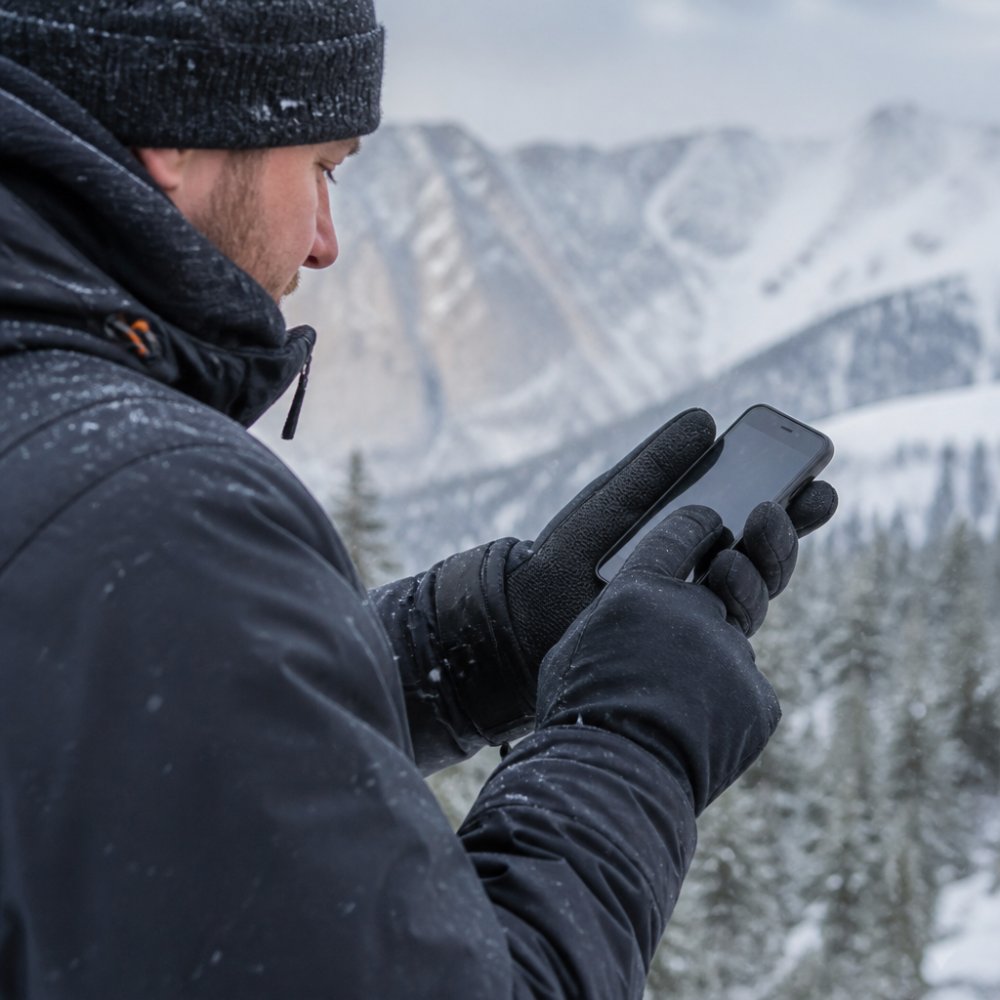
Touchscreen compatible gloves weave conductive fabric into the fingertips, letting your body's natural electrical charge pass through to a capacitive touch screen. Without that pathway, the screen doesn't register your tap.
Conductive Fabric and Capacitive Touch Technology
Capacitive touch powers almost every modern smartphone screen, detecting the tiny electrical charge your skin carries. Conductive fabric, usually silver-coated nylon, copper thread, or carbon-infused yarn, mimics that charge so the screen responds through the glove.
How Humidity and Moisture Affect Touchscreen Performance
Moisture is the quiet killer of touchscreen performance. When your hands sweat inside a glove, or damp air seeps through the outer shell, that moisture interferes with the conductive pathway between fingertip and screen.
Best Heated Gloves for Extreme Cold Weather: What to Look For
Heated gloves are the only reliable option once temperatures drop below freezing for extended periods. Passive insulation slows heat loss; active heating replaces it.
The features that actually matter:
- Full-hand heating coverage, not just the back of the hand. Fingertips lose heat fastest and need direct warming.
- Adjustable thermostat settings, so you can dial heat up in a bitter wind and down when you're moving.
- Watertight heating elements. A heating wire that shorts out in wet conditions is worse than useless.
- A realistic battery rating. Continuous warmth matters more than a peak number on the box.
Battery-Heated vs Passive Insulation
Battery-heated gloves generate warmth; passive gloves only retain the warmth you already produce. For Raynaud's sufferers, commuters, and anyone working outdoors for hours, active heating is the difference between functional hands and numb ones.
Best Thermal Gloves for Raynaud's: Key Features That Matter
The best thermal gloves for Raynaud's prioritise fingertip warmth and circulation over bulk. Raynaud's causes blood vessels in the fingers to narrow sharply in cold, cutting off circulation and turning fingers white, then blue, then painfully red on rewarming.
Features that genuinely help:
- Heating that reaches the fingertips, where circulation is worst
- A snug, stretch-fit design that traps heat close to the skin without restricting blood flow
- Waterproof and windproof outer fabric, since wind chill triggers attacks fast
- Low-profile construction so you can still grip a steering wheel, tool, or phone
Waterproof vs Water-Resistant: What Extreme Cold Demands
Waterproof beats water-resistant in extreme cold, without exception, but the reason is more specific than most guides admit. Water-resistant fabric (typically a DWR-treated nylon or polyester shell) sheds light rain and snow for a few minutes, then wets out. Once saturated, the insulation loses its loft, and trapped air, the actual insulator, is displaced by water. A wet synthetic fill can lose most of its insulating value; wet down collapses almost entirely.
- Hydrostatic head (HH), measured in millimetres, this is the height of a water column the fabric can resist before leaking. 5,000mm handles rain; 10,000mm handles sustained rain and wet snow; 20,000mm is expedition-grade. For extreme cold with mixed precipitation, 10,000mm is the sensible floor.
- Breathability (RET or MVTR), measured in g/m²/24h (MVTR) or as a RET value where lower is better. 10,000g is a reasonable working target; 20,000g+ is what you want if you're moving hard enough to sweat.
Why Breathability Matters More in Cold Than in Rain
The counter-intuitive part: in extreme cold, breathability is the harder problem, not waterproofing. When you sweat inside a glove and the outside temperature is well below freezing, that moisture has nowhere to go. It condenses against the cold inner face of the membrane, freezes, and forms ice between your liner and the shell. The next morning the glove is stiff, the insulation is flattened, and the touchscreen fingertips are the first thing to stop working because ice sits between the conductive thread and the screen.
The Failure Points Competitors Don't Mention
- Seams. A waterproof membrane is only as good as its seam sealing. Taped seams are the standard for gloves that will actually be worn in wet snow; un-taped seams leak at the stitch line within an hour of sustained exposure.
- Cuffs. A waterproof glove with an open gauntlet cuff funnels meltwater straight down your sleeve and into the glove. Look for a cinch cord or elastic cuff that seals over a jacket sleeve.
- Ice-crust stiffening. Even a perfectly waterproof glove will stiffen if the outer face fabric absorbs surface moisture and freezes. A DWR finish on the face fabric, not just the membrane, keeps the outer shell shedding rather than icing.
- Touchscreen degradation. Moisture between the fingertip and the screen is the single most common cause of "my touchscreen gloves stopped working." A breathable liner paired with a waterproof membrane keeps the conductive pathway dry from both sides.
Sizing, Fit, and Dexterity: Getting Touchscreen Gloves Right
Dexterity comes down to fit and construction, not thickness alone. An ergonomic fit with articulated fingers lets each digit bend naturally, so you can grip, pinch, and operate controls without fighting the glove.
| Feature | What to Look For | Why It Matters |
|---|---|---|
| Conductive fingertips | All five fingers treated | One-handed phone use in cold |
| Heating coverage | Full hand and fingertips | Warms where circulation is worst |
| Waterproofing | 10,000mm+ rating | Stops wet insulation losing heat |
| Breathability | 10,000g+ rating | Prevents clammy, sweaty hands |
| Fit | Sized by palm width | Preserves dexterity and circulation |
Layering Systems for Touchscreen Compatible Gloves in Sub-Zero Conditions
Layering is the strategy most buyers skip, and it's where the real gains are. The principle is the same one mountaineers use for their torso: separate keeping warm from keeping the weather out. A single glove tries to do both and usually does neither well.
- A thin conductive liner worn against the skin. This layer handles touchscreen input. Look for a 0.5-1.5mm liner made from merino wool, silk, or a polyester-spandex blend with conductive thread woven into all five fingertips. Merino resists odour and insulates when damp; synthetics dry faster. The liner should be snug but not tight, if it leaves marks on your knuckles, it's restricting circulation.
- An insulating mid-layer or heated glove for warmth. In passive systems, this is a lofted synthetic or down glove; in active systems, the battery-heated glove replaces the mid-layer by generating heat directly. Heated gloves are worn as the inner or middle layer, not the outer shell, because their heating elements and wiring aren't designed to take abrasion from tools, ropes, or machinery.
- A waterproof, windproof shell, either a mitt or a glove, worn over the top. Mittens are warmer than gloves because fingers share a single heated air pocket, and they're the right choice when you don't need finger dexterity. A shell glove is the compromise when you do.
How the Layers Interact With Touchscreens
The critical detail competitors miss: the conductive layer must touch your skin and the screen. If you wear a conductive liner under a non-conductive shell, the touchscreen won't respond through the shell, you must remove the shell or use a shell that is itself touchscreen-compatible.
Matching the System to Conditions
- Around freezing, dry: conductive liner alone, or a single mid-weight touchscreen glove.
- -5°C to -15°C, dry: conductive liner plus insulated touchscreen glove.
- -15°C to -25°C, dry: conductive liner plus heated glove, or liner plus insulated glove plus shell mitt when dexterity isn't needed.
- Below -25°C, or any wet conditions: full three-layer system, conductive liner, heated mid-layer, waterproof shell. This is the configuration where battery-heated gloves earn their weight, because passive insulation alone cannot replace the heat your body is losing faster than it can produce it.
The Cuff Seal
Conclusion
The gap between gloves that work and gloves that don't in extreme cold comes down to conductive coverage, real waterproofing, and heat that reaches your fingertips. Get those three right and you stop choosing between warm hands and a working phone.
Frequently Asked Questions
Which touchscreen gloves are the warmest for sub-zero temperatures?
The warmest touchscreen compatible gloves for extreme cold combine active heating with passive insulation. Rechargeable heated gloves with watertight heating elements that cover the full hand and fingertips maintain warmth down to -38°C, tested in real North Sea conditions. Look for gloves with a waterproof membrane rated at 10,000mm, three thermostat settings, and up to 12 hours of battery life. Passive thermal gloves work for milder cold, but for sub-zero temperatures, battery-powered heat provides consistent warmth that passive insulation alone cannot match.
Do touchscreen gloves actually work in extreme cold?
Yes, when they use conductive fabric woven into the fingertips rather than sprayed-on coatings that wear off. Capacitive touch relies on the glove transferring your finger's natural electrical charge to the screen. In extreme cold, the main issue is moisture: sweat or condensation inside the glove can interfere with conductivity. Gloves with moisture-wicking linings and breathable waterproof membranes reduce this problem. Heated gloves also help because warm fingers maintain better circulation, which improves the conductive contact your phone screen detects.
Are heated gloves better than standard thermal gloves for touchscreen use?
Heated gloves outperform standard thermal gloves for touchscreen use in extreme cold because they keep your fingers warm enough to maintain dexterity and circulation. When fingers get cold, they stiffen and touchscreen accuracy drops. Heated gloves with slim, stretch-fit designs and full-fingertip heating let you tap, swipe, and type without removing the glove. Standard thermal gloves work for short outdoor trips, but for extended time in sub-zero conditions, heated gloves provide consistent warmth that preserves both hand function and screen responsiveness.
How do I maintain dexterity while wearing thick winter gloves?
Choose gloves with articulated fingers, a stretch-fit design, and low-profile construction rather than bulky padding. Multi-layer construction often adds bulk, so look for gloves that use thin, efficient insulation or active heating instead of thick loft. Heated gloves with discreet watertight heating elements maintain warmth without sacrificing finger flexibility. Sizing matters too: measure your palm width and match it to the manufacturer's chart. A snug ergonomic fit traps heat close to the skin while allowing full finger movement for gripping, typing, or operating machinery.
If cold hands are dictating your day, it's time to stop compromising. Get started with Mind Smart and keep your hands warm, dry, and fully functional all winter.


Leave a comment
This site is protected by hCaptcha and the hCaptcha Privacy Policy and Terms of Service apply.