

Last Updated: November 14, 2026
Quick Summary
Most rechargeable heated gloves take between two and six hours to reach a full charge, so how long do heated gloves take to charge depends on battery capacity, charger output and temperature. A 1500-2000mAh pack typically charges in 2-3 hours, while a 4000mAh+ pack can take 5-6 hours.
- A standard 1A USB charger is assumed; a 2A adapter can shorten charge time on a compatible battery.
- Let a cold battery reach room temperature for 30 to 60 minutes before charging it.
- Divide battery capacity in mAh by charger output in milliamps, then add a margin for inefficiency.
- A red or solid red indicator light means charging is in progress; green or blue means fully charged.
- Never charge a battery that shows swelling, a burnt smell or visible damage; replace it instead.
Table of Contents
- Heated Gloves Charging Time: What to Expect by Battery Capacity
- How to Charge Heated Gloves Safely, Step by Step
- Heated Gloves Charging Indicator Lights Explained
- Heated Gloves Not Charging: Troubleshooting Slow or Failed Charges
- What Affects Charging Duration and How to Estimate Remaining Time
- Charging on the Move: Power Banks, USB-C Cables and Charger Compatibility
- Battery Care, Storage and Overnight Charging Guidance
- Choose Your Mind Smart Heated Gloves and Charging Setup
- Frequently Asked Questions
Heated Gloves Charging Time: What to Expect by Battery Capacity
If you are wondering how long do heated gloves take to charge, most rechargeable heated gloves take between two and six hours to reach a full charge. The exact figure depends on battery capacity, charger output and temperature.
How long do heated gloves take to charge, then, in plain terms?
That spread explains the wildly different numbers online.
Charging Time by Battery Capacity
Here is a quick reference table for common battery sizes. Treat these as typical ranges, not fixed promises. Your charger's output and the room temperature both shift the result.
| Battery Capacity | Typical Charge Time | Typical Runtime | Best For |
|---|---|---|---|
| 1500-2000mAh | 2-3 hours | 2-4 hours | Short commutes |
| 2200-2600mAh | 2.5-3.5 hours | 3-5 hours | Daily wear |
| 3000mAh | 3-4 hours | 5-8 hours | Work shifts, long rides |
| 4000mAh+ | 5-6 hours | 8-12 hours | All-day outdoor work |
A simple rule of thumb: bigger battery, longer charge, longer warmth. The energy has to go in before it can come out.
Why Charging Times Vary So Much Between Models
The estimates above assume a standard 1A USB charger. A 2A adapter can shorten charge time on a compatible battery, while a weak adapter can lengthen it considerably. Charger output is often the single biggest variable behind differing charge-time reports.
Battery age matters too. A lithium pack that has seen two or three winters accepts charge more slowly and may never reach its original capacity. If your gloves used to charge in three hours and now take five, the pack is telling you something.
Temperature is the third factor.
How to Estimate Your Own Charge Time
You can work out a realistic estimate for your own gloves with a simple calculation. Divide the battery capacity in milliamp-hours by the charger output in milliamps, then add a margin for inefficiency.
This method beats a generic range because it uses your actual charger. Check the small print on your adapter for its output rating.
How to Charge Heated Gloves Safely, Step by Step
Safety first, because lithium batteries deserve respect. Follow these steps and you will avoid the two most common problems: damaged cells and connectors that stop making contact.
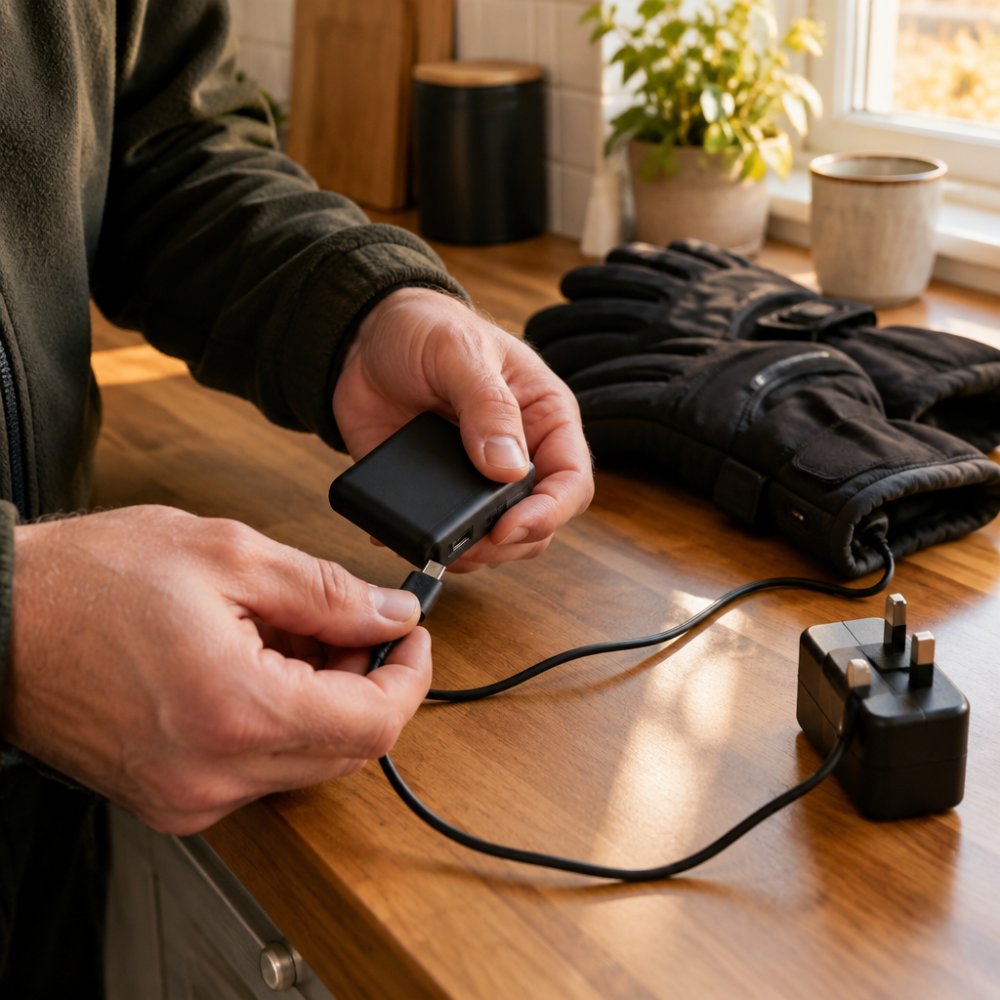
What You Need Before You Start
- Your gloves and both battery packs
- The charging cable that came with the gloves
- A UK three-pin USB mains adapter
- A dry, flat surface at room temperature
Check the user manual before your first charge for the correct adapter rating and any model-specific instructions.
Step 2: Disconnect the battery from the glove. Unplug the battery lead from the glove's inner connector.
Step 3: Plug the charging cable into the battery. Match the connector carefully. It should slide in smoothly with no force.
Step 4: Connect to the mains adapter. Plug the USB end into your UK three-pin adapter and switch on at the wall.
Step 5: Watch the indicator light. It confirms the battery is receiving power.
Step 6: Disconnect when full. Unplug the battery once the indicator shows a full charge.
If you charge on the move, a charging extension cable lets you top up from a laptop or power bank without hunting for a wall socket.
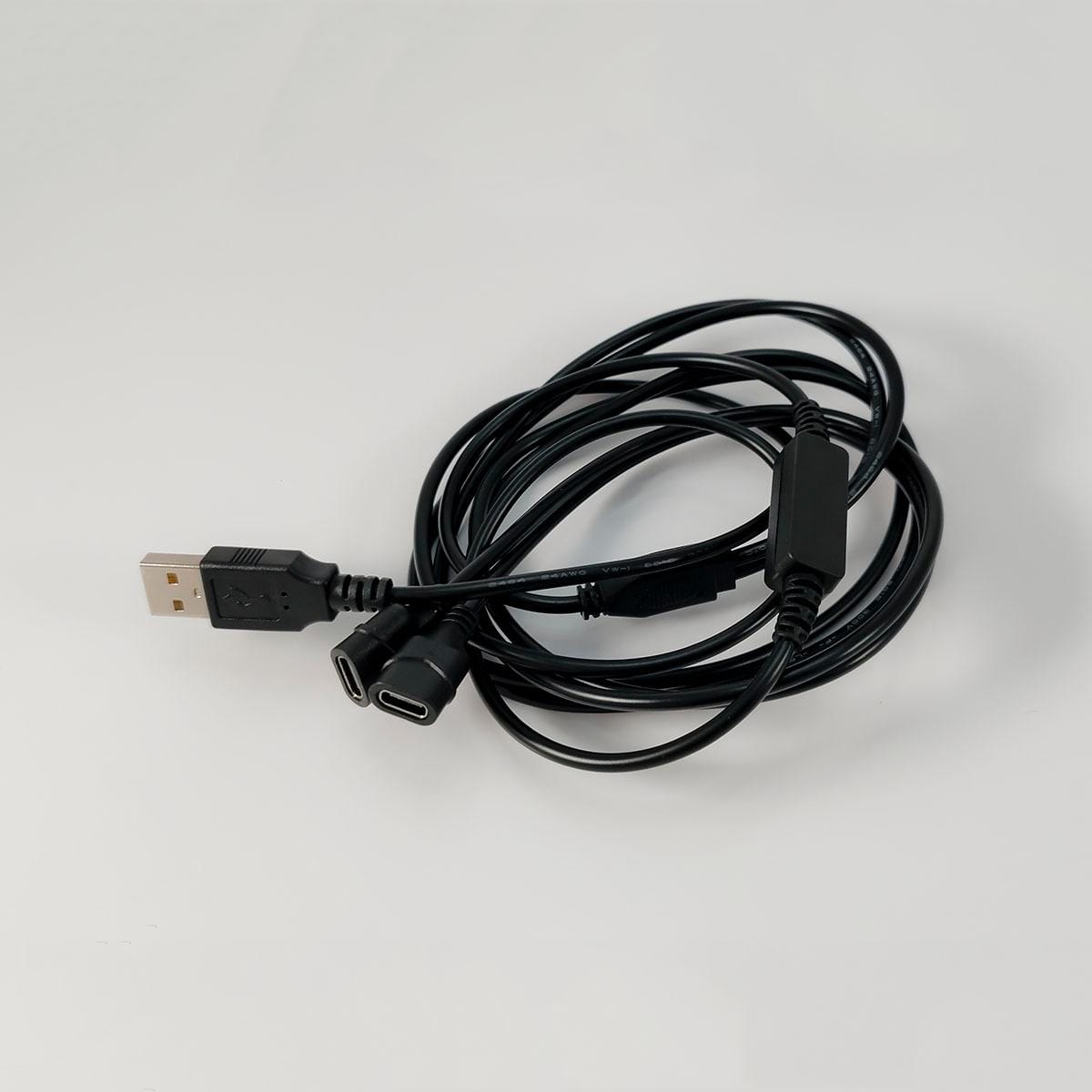
Watch out: forcing a connector the wrong way round bends the pins and can kill the battery.
Heated Gloves Charging Indicator Lights Explained
Indicator lights are your main window into charging status.
Common colour codes work like this:
- Red or solid red: charging in progress
- Green or blue: fully charged
- Flashing red: fault or connection problem
- No light: no power reaching the battery
Colours vary by brand, so check your manual for the exact meaning.
A light that never changes from red usually means the battery is not reaching full charge. That points to a weak adapter, a damaged cable or a tired battery. We will cover those in the troubleshooting section.
Heated Gloves Not Charging: Troubleshooting Slow or Failed Charges
When heated gloves will not charge, work through the basics before assuming the worst. Most failures trace back to a loose connection, a weak power source or a cold battery, and separating a slow charge from a failed charge points you to the cause.
Slow Charge vs No Charge: What the Difference Tells You
If the indicator light comes on but the battery takes far longer than expected, the problem is usually power delivery: a low-output adapter, a thin or damaged cable, or a cold battery slowing the chemical reaction.
If the indicator light never comes on, the problem is usually connection or power supply. The battery is not receiving current at all. Check the wall socket, the adapter, the cable and the connector in that order.
If the light flashes or changes colour unexpectedly, the battery management system is signalling a fault. Stop charging and investigate before trying again.
Work Through These Checks in Order
- Swap the adapter. Use a known-good USB mains adapter with at least a 1A output. A 2A adapter is better if your battery supports it. Cheap adapters often deliver less than they claim, especially when they have been left plugged in for years.
- Try a different cable. Cables fail at the connector end far more often than people expect. A cable that charges a phone fine may still struggle with a glove battery if the conductors are thin.
- Check the battery contacts. Look for dirt, moisture or bent pins. A cotton bud and a little isopropyl alcohol will clean most contacts safely once the battery is disconnected.
- Warm the battery up. A cold pack charges slowly or not at all. Bring it indoors and let it sit for 30 to 60 minutes before trying again.
- Test one battery at a time. This isolates whether the fault sits with the pack or the charger. If one pack charges and the other does not, the problem is the pack.
- Try a different wall socket. It sounds obvious, but a switched-off socket or a faulty extension lead catches people out regularly.
If a battery still refuses to charge, it may have reached the end of its working life. A battery that charges quickly but drains within an hour is showing capacity loss, not a charging fault.
When to Stop and Replace the Battery
Some faults are not worth troubleshooting. Never charge a battery that shows swelling, a burnt smell or visible damage. Stop using it and replace it. A swollen lithium pack should not be used and should be disposed of at a battery recycling point.
If the battery charges but the gloves will not run, the fault may be in the glove's wiring or connector rather than the battery. For a deeper walkthrough, see our guide on why heated gloves stop working.
What Affects Charging Duration and How to Estimate Remaining Time
Several factors push charging time up or down. Knowing them helps you plan and stops you blaming the gloves for a slow charge.
Charger output. A 1A adapter charges roughly half as fast as a 2A adapter. Cheap adapters often deliver less than they claim.
Battery capacity. This is the biggest factor.
Temperature. Cold slows the chemical reaction inside the cell. Charge at room temperature for the fastest, safest result.
Battery age. Older cells accept charge more slowly and hold less of it.
Charge level when you start. A half-empty battery fills faster than a fully drained one.
To estimate remaining charge time, note how long a full charge takes on your setup, then watch the indicator. If your pack takes four hours from empty and the light has been red for two, you are roughly halfway there, close enough for planning.
Charging on the Move: Power Banks, USB-C Cables and Charger Compatibility
Charging away from home comes down to one question: can your power source deliver enough current? Heated glove batteries are small, so most USB power banks can handle them. The trick is matching the connector and the output.
A few practical points:
- Check the connector type on your battery before buying any cable.
- Look for a power bank with at least a 2A USB output.
- Carry a short cable to reduce strain on the connector.
- Keep the power bank out of the cold, or its own capacity drops.
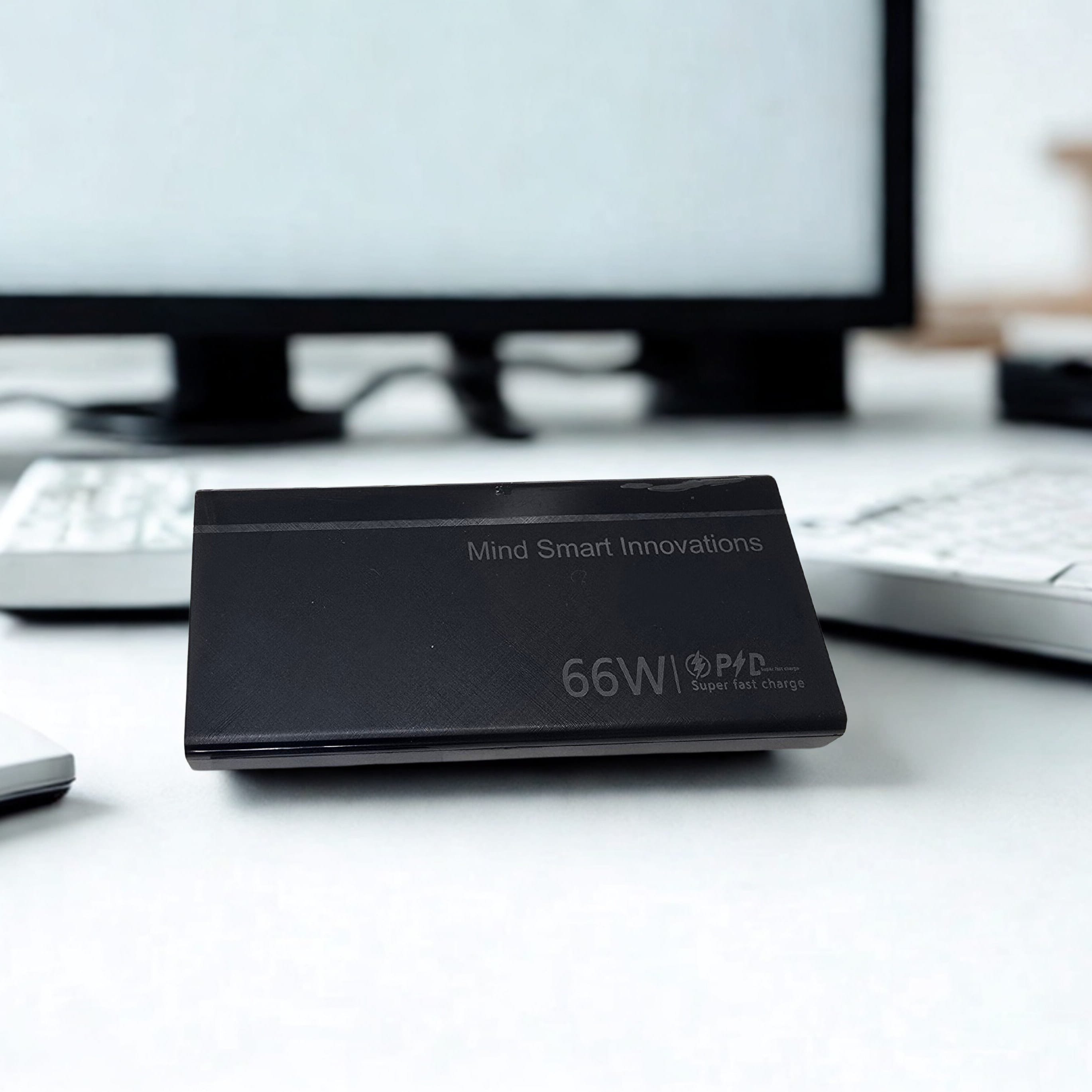
Our portable power bank delivers 66W from a 10,000mAh capacity. For a full breakdown of matching power sources to heated clothing, read which power bank works best for heated clothing.
Not every USB-C cable carries the same current. A cable built for data transfer may charge slowly. Use a cable rated for charging and you will avoid a frustrating trickle.
Battery Care, Storage and Overnight Charging Guidance
Store batteries properly and they will last far longer:
- Charge to around half full before long storage.
- Keep packs in a cool, dry place, away from direct sun.
- Avoid leaving batteries fully drained for weeks.
- Recharge every few months during the off-season.
Never store batteries somewhere damp. Moisture corrodes the contacts and shortens battery life.
Choose Your Mind Smart Heated Gloves and Charging Setup
Getting the charging routine right is the difference between gloves that serve you for years and gloves that let you down mid-winter: charge at room temperature, use a decent adapter, watch the indicator and store the packs with care.
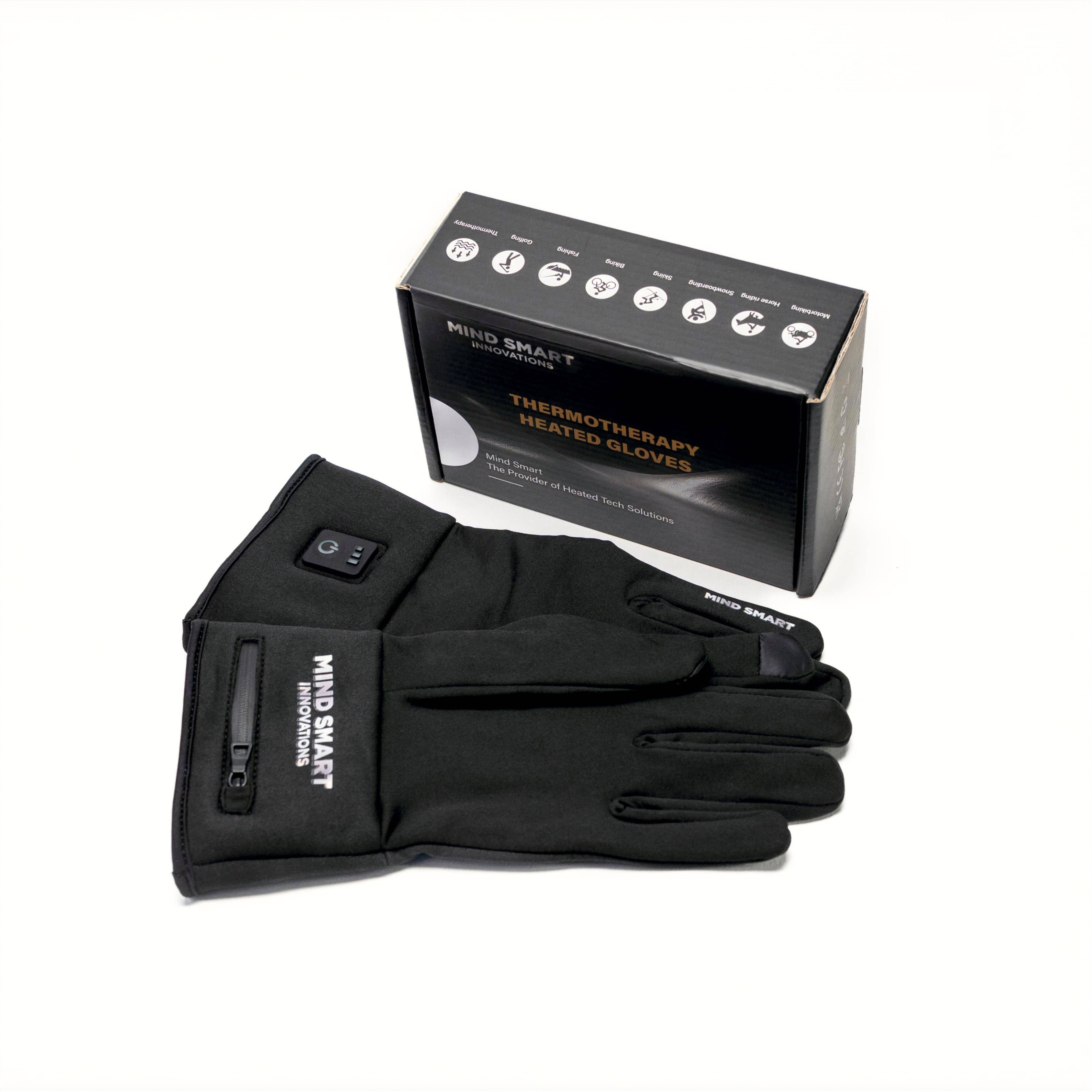
Our rechargeable heated gloves come with two 7.4V 3000mAh lithium batteries, a UK three-pin USB mains adapter and a full instruction manual. The gloves are 100% waterproof and breathable, touchscreen compatible and built with three heat settings.
Ready to sort your winter hands? Get started with Mind Smart and keep your gloves charged, warm and ready for every cold morning.
Charging a heated glove should be simple, and it is once you know the timings and the small habits that protect a battery.
Frequently Asked Questions
How long does it usually take to charge heated gloves?
Most rechargeable heated gloves take between 2 and 6 hours to reach a full charge, depending on battery capacity and the charger used. The 3000mAh lithium batteries supplied with Mind Smart Rechargeable Heated Gloves are charged using the UK three-pin USB mains adapter included. Larger packs take longer, and charging from a laptop or low-output power bank can stretch the time further. Check your user manual for the manufacturer's stated figure before assuming a fault.
How can I tell when heated gloves are fully charged?
The heated gloves charging indicator lights do the work for you. On most packs, a red LED means charging is in progress and a green LED means the battery is fully charged. Some chargers use a blinking pattern while charging and a steady light when done. If the light stays red well beyond the expected charging time, disconnect the battery and check the cable and port before reconnecting. Always confirm against your model's instruction manual, because indicator colours vary between brands.
Why are my heated gloves not charging?
The usual culprits are a loose connection, a damaged charging cable, a dirty charging port, or a battery that has been stored flat for months. Try a different USB power adapter and cable first, then clean the port gently with a dry soft brush. Batteries left in a cold garage or shed can also refuse to accept charge until they warm to room temperature.
Can I use a portable power bank to charge heated gloves?
Yes, provided the power bank delivers enough output. A 66W power bank such as the Mind Smart Portable Power Bank can recharge glove batteries away from mains power, which suits ski trips, work sites and long commutes. Pair it with a charging extension cable so the battery sits in a pocket or bag while it tops up.




Leave a comment
This site is protected by hCaptcha and the hCaptcha Privacy Policy and Terms of Service apply.